Delete Disable Users
For our customers' GDPR compliance, we now provide a method to completely delete inactive users with all PII (Personally Identifiable Information) from the database, and the user will be assigned as an Inactive deleted user.
To Enable this feature, the user has to enable the Administration, select, Customizations .
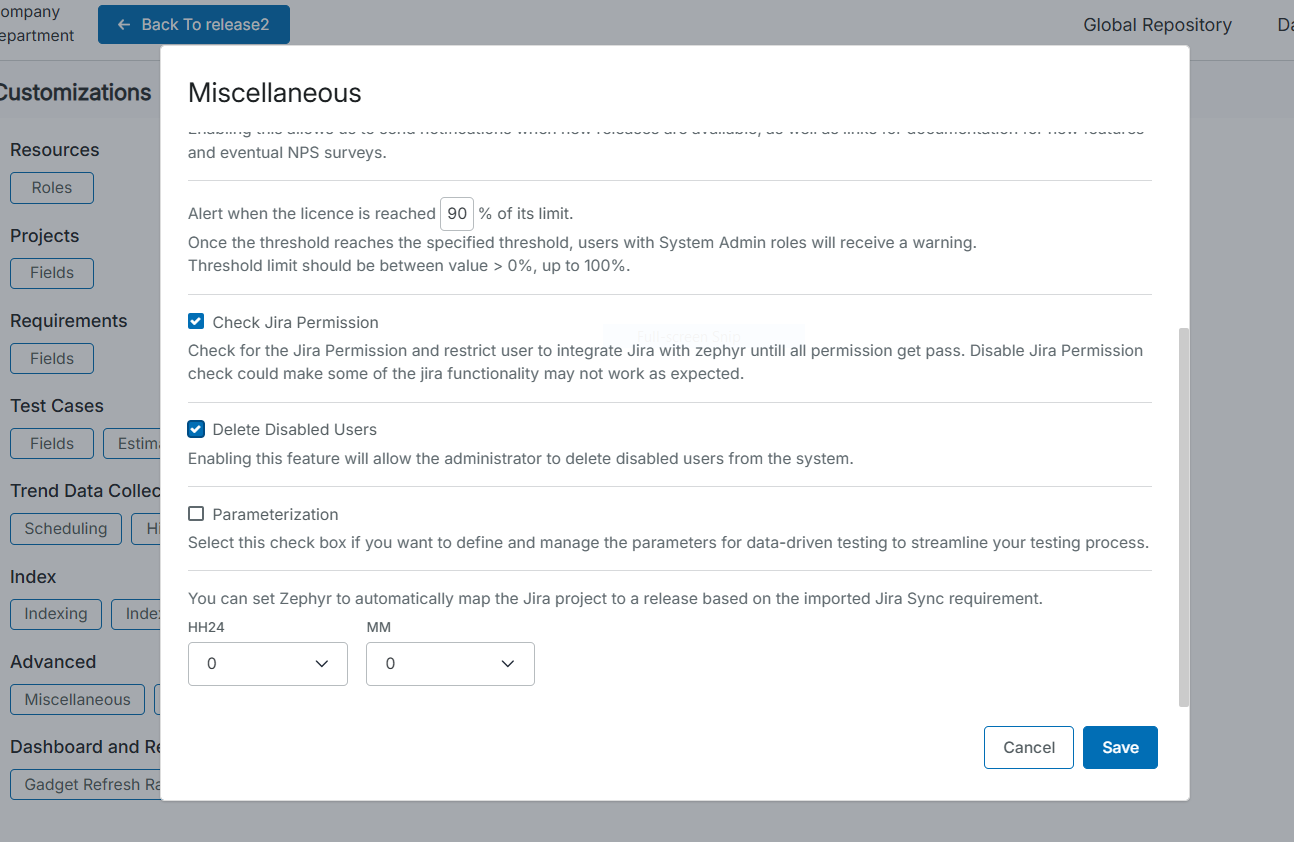
In the Miscellaneous dialog box, and select Delete Disabled Users.
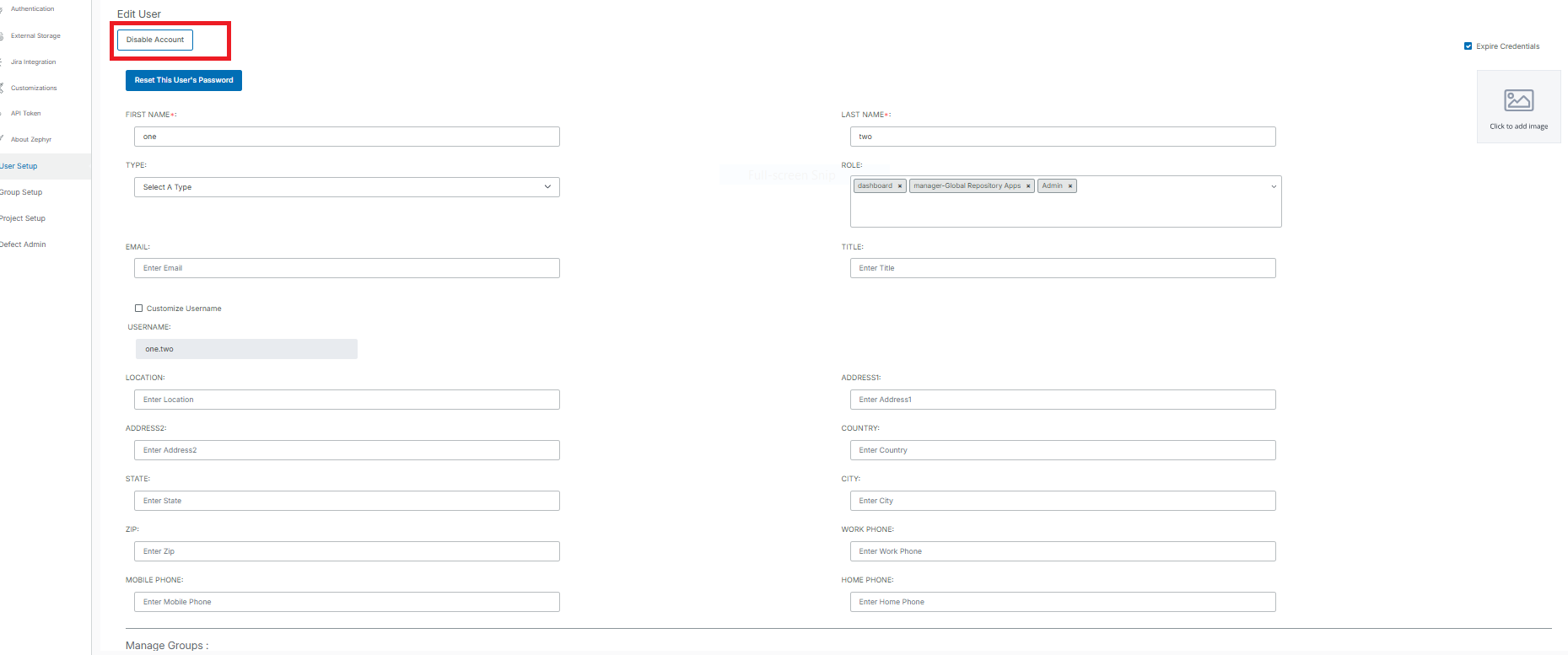
Once users enable this option, the Disable Account button appear.
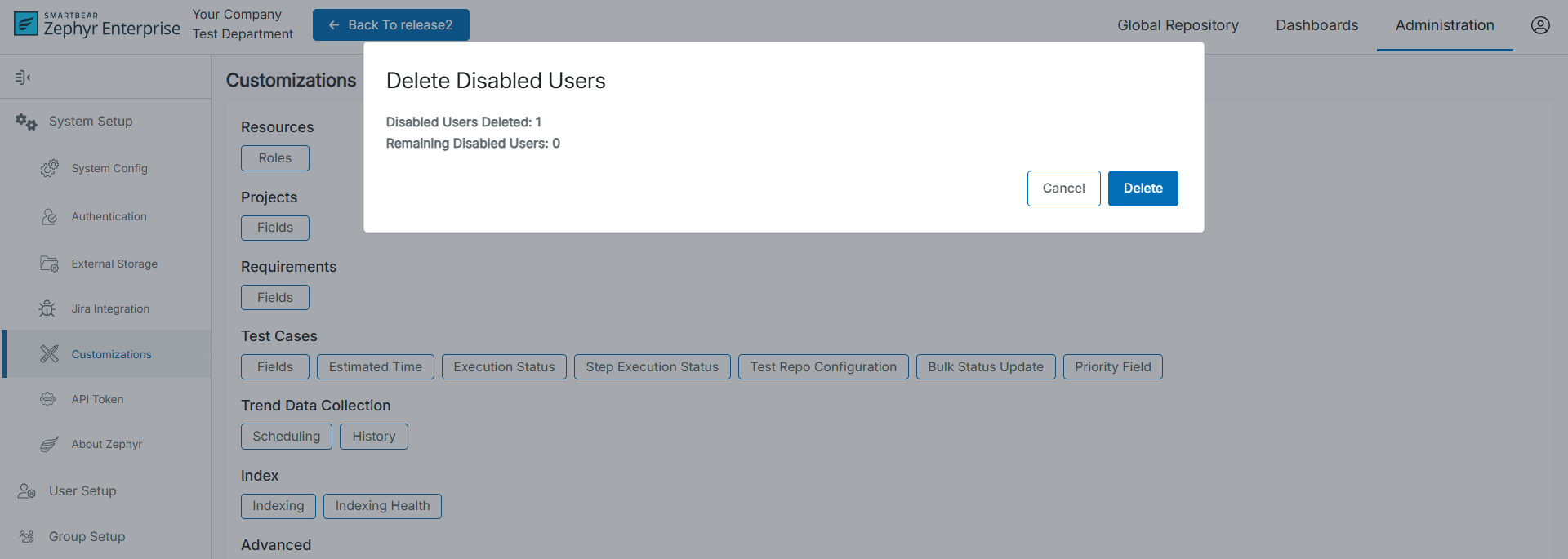
The Delete Inactive Users dialog box appears, click Delete.
In the Delete Inactive Users dialog box,
Total number of users to be deleted at a time:-
The value that at a time the number of users will be deleted. This can be configured in the Properties file in {ZephyrDIR}/tomcat/webapps/flex/WEB-INF/classes/gdpr.properties.
By default, the value is one
It can be configured by changing the value of zephyr.gdpr.delete.count
#zephyr gdpr delete count
zephyr.gdpr.delete.count=1
Once this value is changed System needs to be restarted to make the change value effective.
Total number of inactive users
This is the total number of inactive users present in the system.
Click the Delete button users will start getting deleted one by one depending on how many users are to be deleted at a time depending on the value in the Total number of users to be deleted at a time.
Caution
This action is irreversible, make sure you want to delete the user as it will remove the complete trace of the User from the system.
Once Users are deleted, they will be replaced by the user called Inactive user.