Upgrading from Version 8.0.1 and Below to the Latest Version
Perform the following post-upgrade steps after upgrading Zephyr Enterprise from version 8.0.1 and BELOW to the latest version:
After the upgrade, Zephyr Enterprise end-users must clear their browser cache before accessing the Zephyr application to avoid issues with cached pages.
Log in as the Zephyr Enterprise Administrator and trigger the Full Reindex manually.
To update your ZBot, download the ZBot installation file from Zephyr by clicking the username, and then select the Download ZBot option.
Update the Jira configuration after the upgrade:
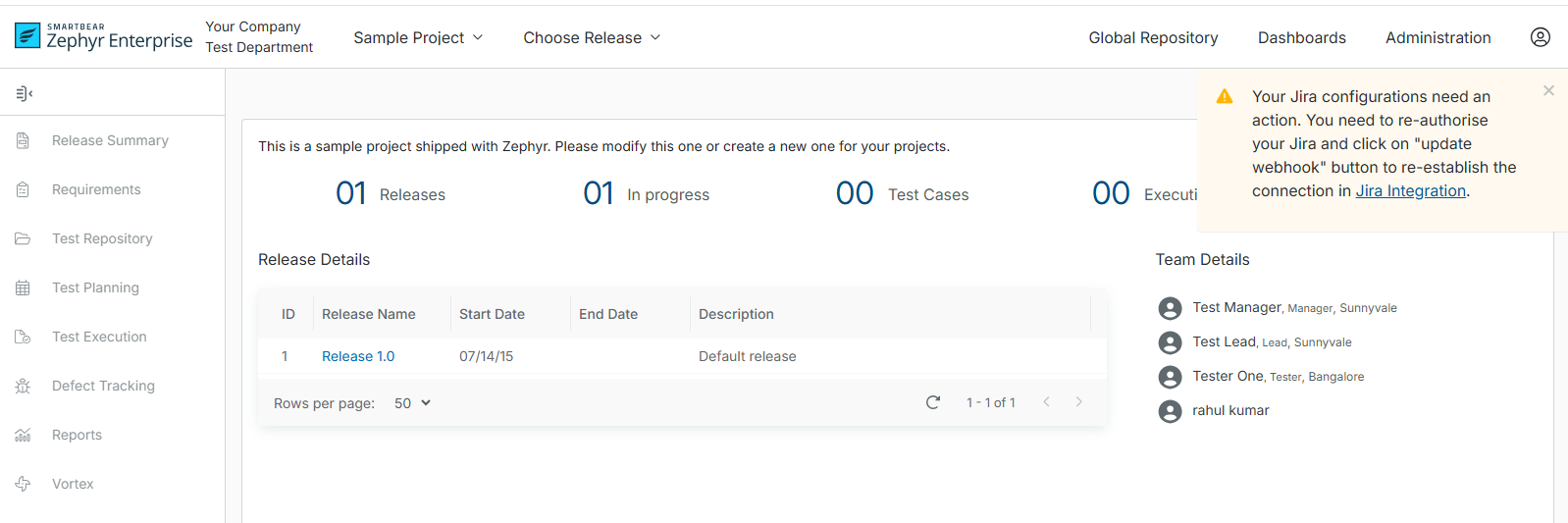
After you complete the upgrade, the following dialog box appears when you log in to Zephyr. This occurs if you integrated Jira before the upgrade.
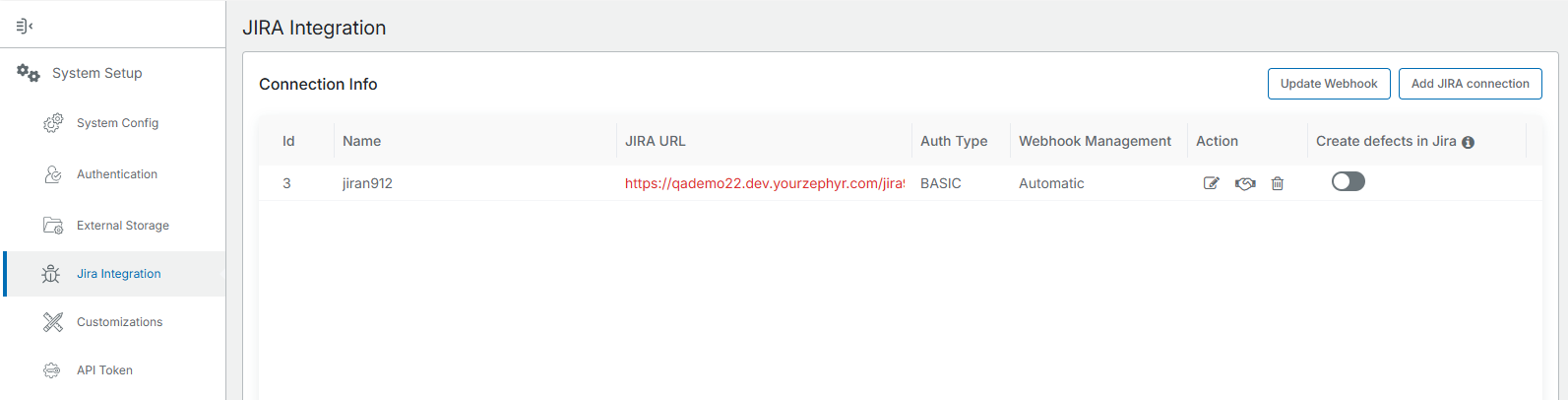
Once the user navigates to the Jira Integration page, the Jira connections will be highlighted in RED, as shown in the following screen:
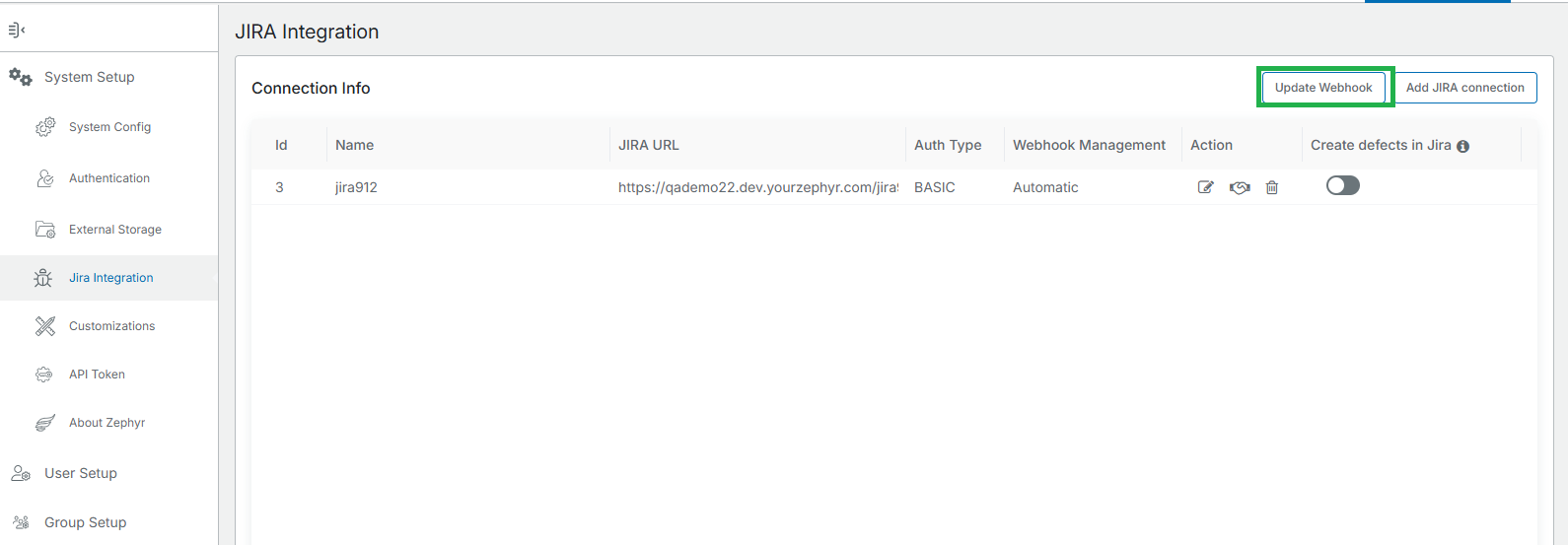
Once all services are up and running, For Automatic webhook management, click the Update Webhook button on the Jira Integration page.
In Jira, the webhook URL will be updated as per the new webhook URL:
The new webhook URL would be something like this: https://webhook.yourzephyr.com/v1/jira/webhooks/callback.
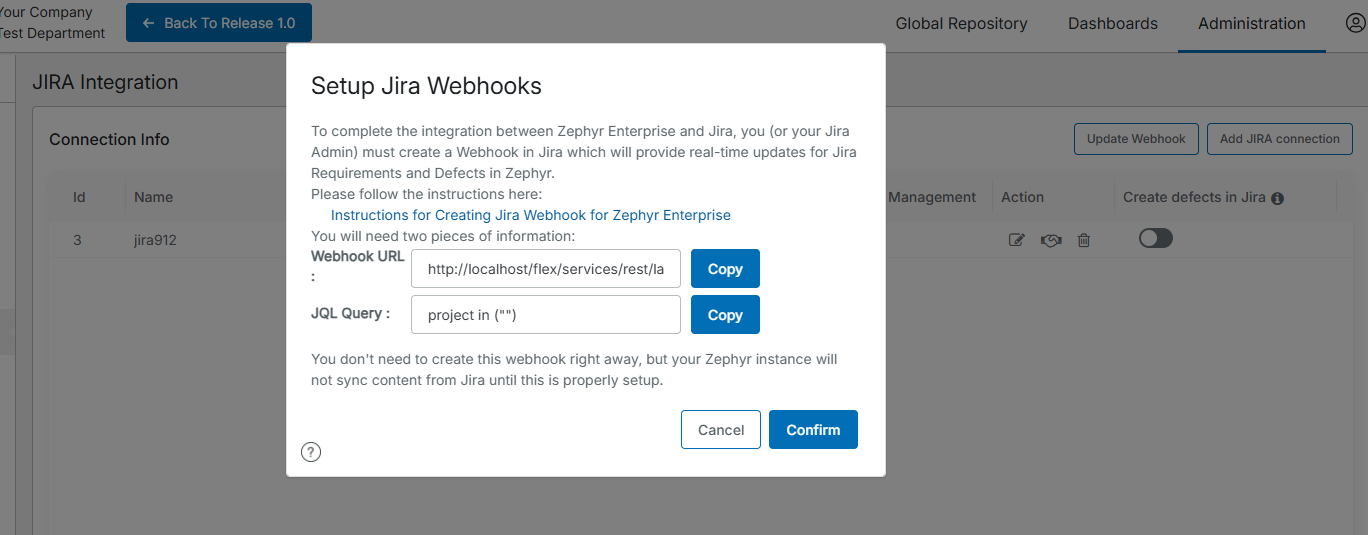
For manual webhook management, copy the URL from the Setup Jira Webhooks dialog box and go to Jira to create a webhook with the new URL. This dialog box appears when integrating a Zephyr project with a Jira project or in Jira Integration. Click the Edit icon under the Action column and save the Jira Integration again.
Important
If you use Jira Server or Data Center, update the Zephyr Jira Integration Plugin to the latest version after you upgrade Zephyr Enterprise. If you use Jira Cloud, the Zephyr Jira Integration Plugin updates automatically.