Deleting a Test Case
Deleting Test Cases from the Folder
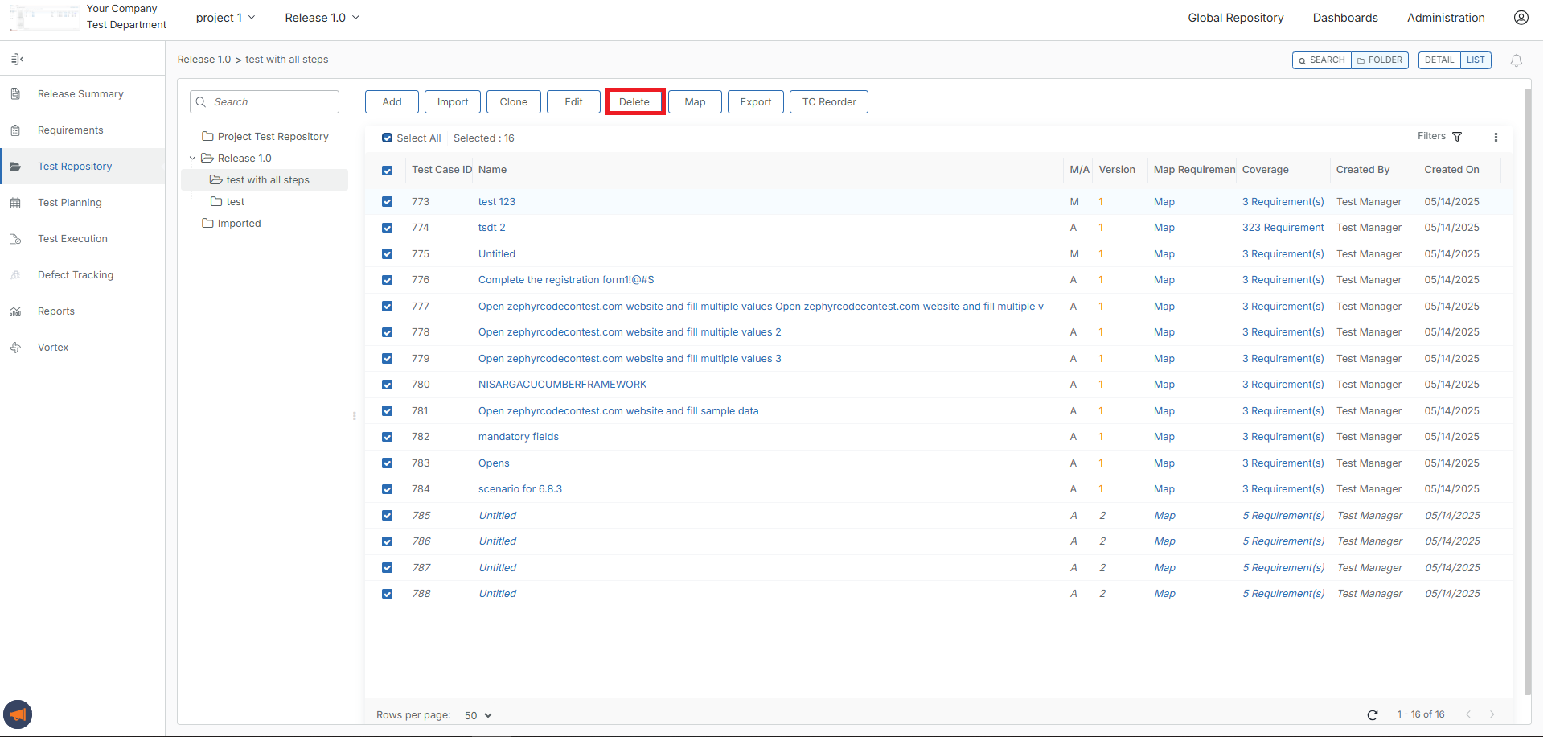
Select/check off any of the test cases that you want to delete on the left-hand side of the table.
Once you have your selected test cases to delete, you simply click the "Delete" button at the top of the table.
There will be a pop-up that asks the following:
"Continue with deleting testcases?"
Click Delete, and the test cases will be removed from the system.
Deleting Test Cases from Search
Users can bulk delete a test case from a search. They can search and perform bulk deleting, allowing them to delete one or more selected test cases during the bulk deleting.
Note
The Delete Button will be only visible if ‘In this release’ is checked.
A user can Delete a maximum of 100 testcases at a time.
Select/check off any of the test cases that you want to delete on the left-hand side of the table.
Once you have selected test case(s) to delete, you simply click the "Delete" button at the top of the table.

There will be a pop-up that asks the following:
"Continue with deleting testcase(s)?
Click Delete button and the test cases will be removed from the system.